My work schedule changes every week.
Add each shift as it posts. Your study blocks move around it.
A planner for college students. Put your classes, work shifts, deadlines, and bills in one place, and Overdue builds your study time around them.
Sign up with a personal email, not a school one: school inboxes go away when you leave, and your plan should outlive them.
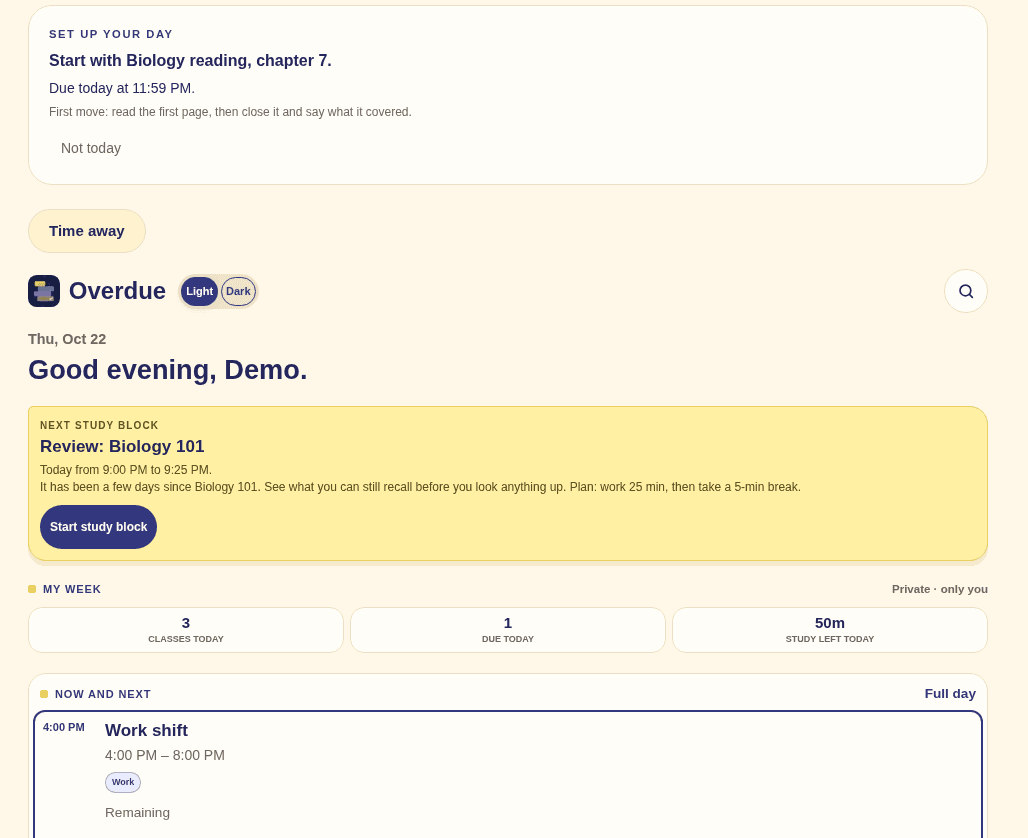
Add each shift as it posts. Your study blocks move around it.
Take a photo of the pages. Overdue reads the dates and drafts your deadlines, and you check them before anything saves.
Add bills as deadlines and see them on the same calendar as your classes and shifts.
Overdue spreads the study time over the days before, in the gaps you actually have.
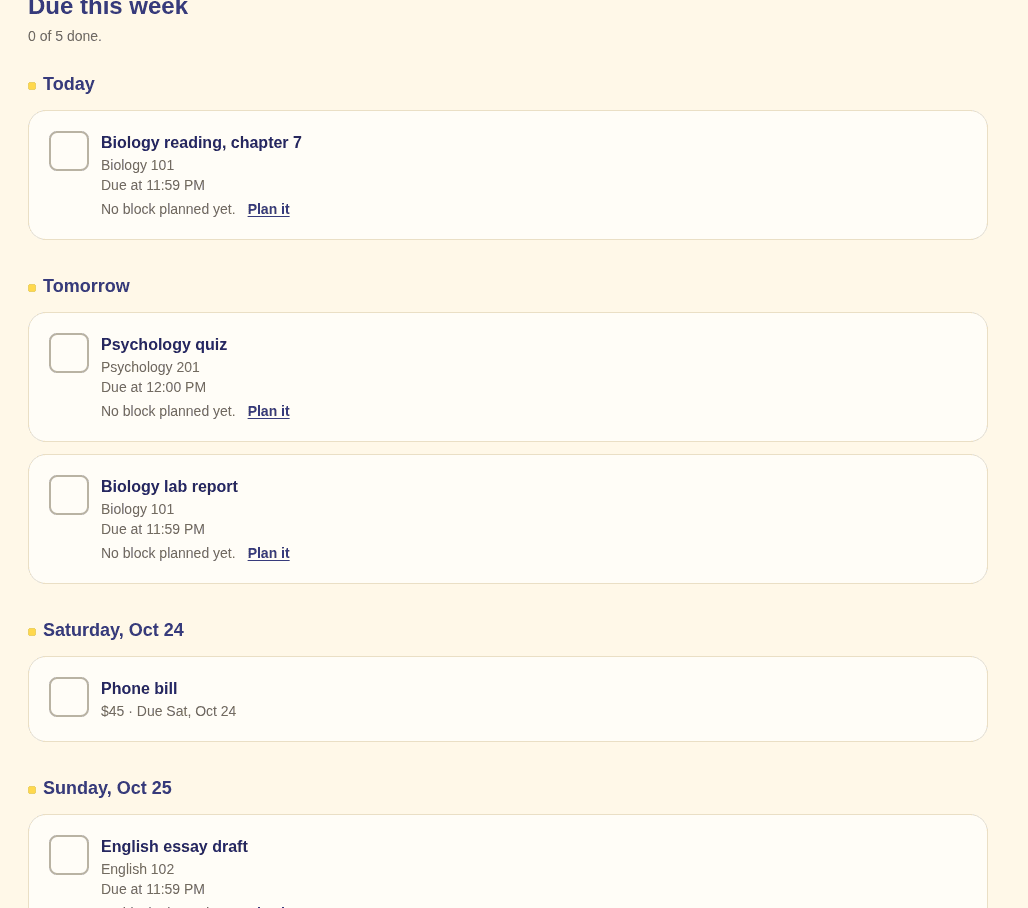
Deadlines and bills for the next seven days, grouped by day, each with a checkbox.
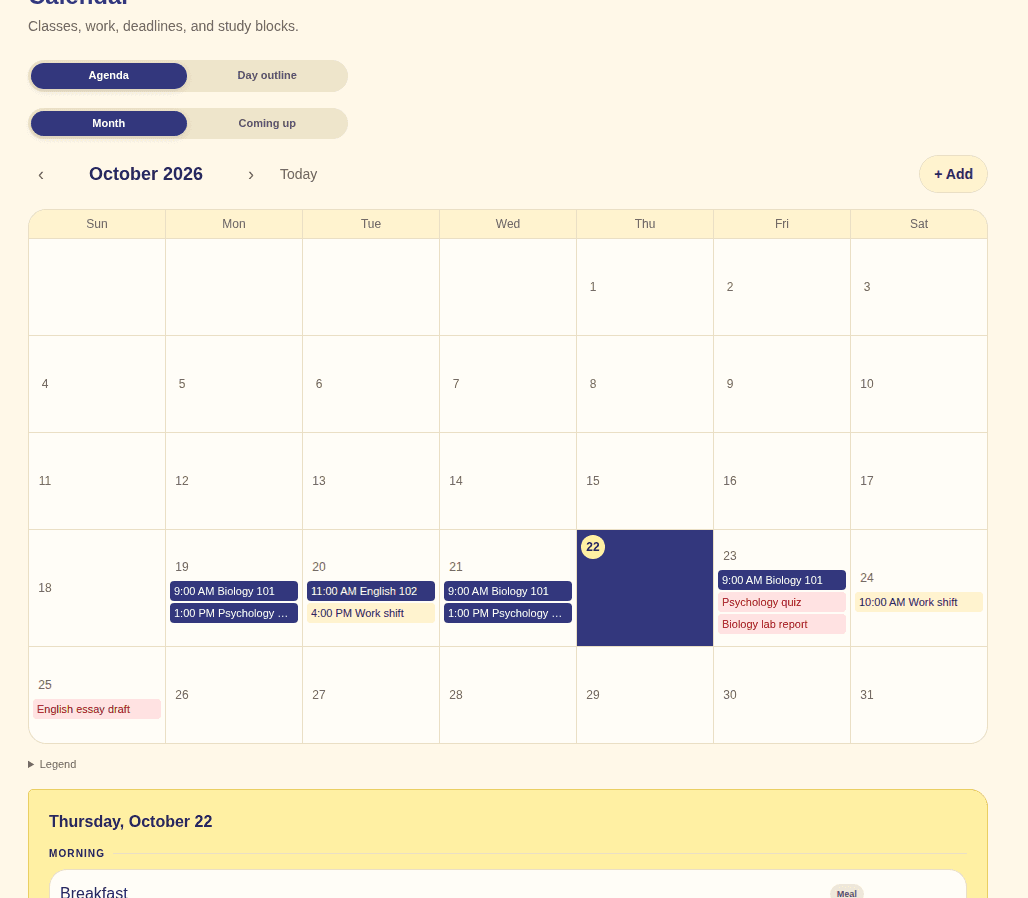
Classes, work shifts, and deadlines share one calendar, so you can see a heavy day coming.
Over 1,600 free textbooks are in the app. Open yours, read it here, and make flashcards and practice questions from its pages.
1,624
free textbooks built in. Count checked October 2026.
1
Type them in, import a calendar file, or take a photo of your schedule.
2
Overdue drafts your deadlines and study blocks. Nothing saves until you look it over.
3
Each morning shows what is next: a class, a shift, a study block, a due date.
Start free. Pay only if you want more AI and the extras.
The whole planner, free.
$0 free forever
The full Overdue, for the price of one pizza night a year.
$24.99 per year
Everything in Free, plus:
You upgrade inside the app, after you sign up.
Founding plan: $39 once, Premium for life, limited to the first 250 people. It is offered inside the app.
Yes. Planning, the calendar, imports, study blocks, and grade tracking are free, and the free plan stays free. It includes 1 AI operation a month.
In the app: Settings, then Manage Plan. Premium stays on until the end of the year you paid for.
Yes, within the first 30 days. Request it in the app: Settings, then Plan and billing, and we will refund the payment in full.
Nothing is deleted. Your classes, deadlines, and history stay in your account. The Premium extras turn off at the end of the paid year.
Add your classes and your next work shift, and see what your plan looks like.
Start free